
Managing Electronic Waste: Secure Disposal of Retired IT Equipment
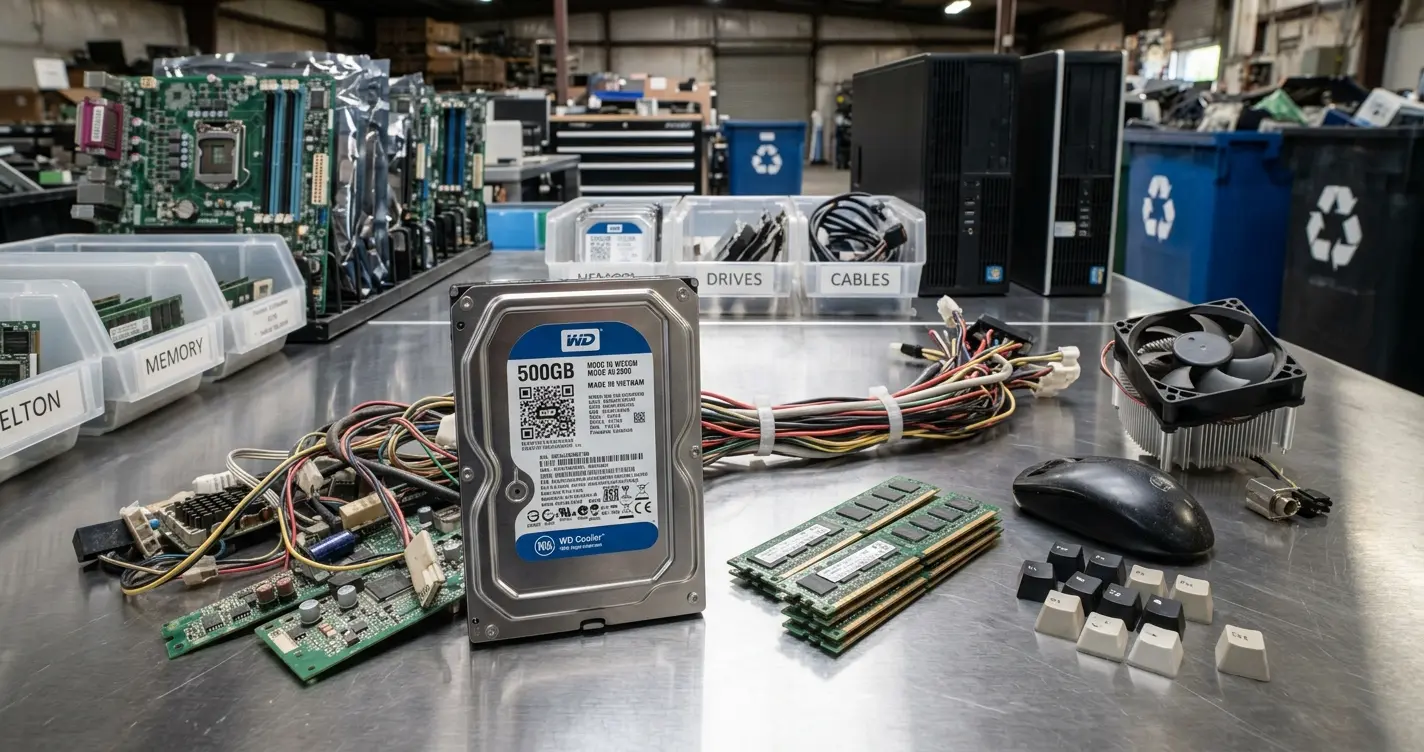
Replacing an old computer is easy. Deciding what happens to the computer after it leaves your office deserves a little more thought.
Retired computers, servers, laptops, and other electronic devices may still contain years of business information. Even if a computer no longer works, the data stored on its drives may still be recoverable. At the same time, simply throwing old electronics in the trash is neither a secure nor environmentally responsible way to dispose of them.
As a managed service provider, we help our customers manage both sides of the problem: protecting the information stored on retired equipment and making sure the equipment itself is properly recycled.
Why Retired IT Equipment Is a Real Security Risk
Of used drives bought on eBay and Craigslist still held recoverable data (Blancco Technology Group, 2016 study)
Tons of e-waste generated worldwide in 2022 (UNITAR/ITU Global E-waste Monitor 2024)
Average cost of a U.S. data breach in 2026 (IBM Cost of a Data Breach Report 2026)
Complete IT’s Cybersecurity Servicyberces
Data Does Not Disappear When a Computer Is Retired
Removing files, formatting a drive, or resetting a computer does not necessarily mean the underlying information is unrecoverable.
The risk is particularly straightforward with an unencrypted drive. In many cases, a drive removed from one computer can simply be connected to another computer and its contents accessed. Depending on how the device was erased, deleted information may also remain recoverable.
Modern solid-state drives add another complication. Because SSDs manage storage differently from traditional hard drives, repeatedly overwriting a drive is no longer the universal answer it was once considered to be.
Current NIST guidance divides media sanitization into three general approaches: Clear, Purge, and Destroy. The right method depends on the type of storage, whether the device will be reused, and the sensitivity of the information involved. When equipment is being permanently retired, physical destruction of the storage media is often the most straightforward solution.
BitLocker Helps, But It Isn’t the Whole Answer
For Windows computers, one of the best protections is to encrypt the drive while the computer is still in service.
Microsoft BitLocker encrypts the contents of the drive so that information cannot simply be accessed by removing the drive and connecting it to another computer. On modern Windows systems, BitLocker commonly works with the computer’s Trusted Platform Module, or TPM, to protect the encryption keys and verify the integrity of the device during startup.
This is important for lost and stolen computers, but it also adds another layer of protection when devices reach the end of their useful life.
We recommend BitLocker encryption for supported business computers. However, encryption does not replace a proper retirement process. It remains Complete IT’s policy to securely destroy storage devices from computers that we process for disposal rather than relying solely on the fact that the drive was encrypted.
Our Electronic Waste Disposal Process
The risk of exposing customer information during disposal is something we take seriously, particularly with computers and servers that may have stored confidential business, financial, employee, healthcare, or customer information.
For computers submitted to Complete IT for recycling, we remove the internal storage devices before the equipment is recycled. Hard drives and other removable storage devices are sent for mechanical destruction. The remaining computer chassis and electronic components are then handled as electronic waste.
When storage is integrated into the device and cannot reasonably be removed, such as with certain tablets and other compact devices, additional steps may be necessary to securely destroy the storage or the device itself.
Of the World’s 62 Million Tons of E-Waste Generated in 2022
- Documented as formally collected and recycled
- Not documented as formally collected and recycled
Source: Global E-waste Monitor 2024 (UNITAR/ITU), 2022 data
The environmental scale is larger than most people realize: the world generated roughly 62 million metric tons of e-waste in 2022, and only about 22.3% of it was documented as formally collected and recycled. The EPA recommends properly recycling retired electronics and identifies R2 and e-Stewards as recognized certification programs for electronics recyclers.
Have old computers or hard drives piling up in storage?
Schedule a free e-waste and data security review with Complete IT.Chain of Custody and Certificates of Destruction
For many organizations, simply knowing that a drive was destroyed is not enough. They need documentation showing what happened to the equipment after it left their possession.
This can be especially important for organizations operating under regulatory, contractual, cyber insurance, or internal data-retention requirements.
When required, Complete IT can arrange for an official chain of custody and certificate of destruction.
NIST’s current media sanitization guidance recommends documenting sanitization activities and provides for documentation that records information about the media and the method used to sanitize it.
Healthcare organizations have additional considerations. HIPAA requires covered entities to have policies and procedures addressing the final disposition of electronic protected health information and the equipment or media on which that information is stored. HHS specifically recognizes destruction methods such as shredding or pulverizing electronic media when destruction is appropriate.
Organizations handling consumer report information may have similar obligations under the FTC Disposal Rule, which requires reasonable measures to prevent unauthorized access to information during disposal.
Do Not Let Old Equipment Become a New Security Problem
Businesses spend a great deal of time protecting information while computers are in use. That responsibility does not end when the computer is replaced.
A good equipment retirement process should answer three basic questions: What data is on the device? How will that data be securely destroyed? And where will the remaining electronic equipment go afterward?
For most businesses, the answer isn’t complicated:
- Encrypt computers while they’re in service
- Maintain a consistent retirement process for every device
- Securely destroy storage containing sensitive information
- Use responsible, certified electronic recycling channels
If you have old computers, servers, hard drives, or other electronic equipment accumulating in a storage room, Complete IT can help you determine the appropriate way to securely dispose of them.
FAQ
Is deleting files or formatting a drive enough to protect my data?
No. Deleting files or running a standard format does not erase the underlying data, which can often still be recovered with commonly available tools. That’s why physical destruction is recommended for drives being retired.
Does encrypting a drive with BitLocker mean I don’t need to destroy it?
No. Encryption is strong protection while a device is in use, but Complete IT still destroys storage devices from every computer processed for disposal, regardless of whether the drive was encrypted.
What is a certificate of destruction, and do I need one?
It’s documentation showing that a specific storage device was destroyed, including the method used. Organizations with regulatory, contractual, cyber insurance, or data retention requirements typically need it as proof of compliance.
Does HIPAA require specific disposal methods for old equipment?
No. HIPAA doesn’t mandate a single method, but it does require covered entities to have policies and procedures addressing the final disposition of electronic protected health information and the hardware or media it is stored on. HHS recognizes clearing, purging, and destroying media (for example, by shredding or pulverizing) as appropriate methods, depending on the circumstances.
What happens to the rest of the computer after the hard drive is removed?
Once storage is removed and destroyed, the remaining chassis and components are recycled as standard electronic waste, ideally through a certified recycler such as one holding R2 or e-Stewards certification.